
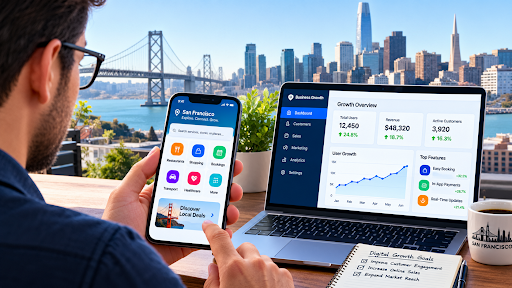
Lena Ortiz runs a family dry cleaning shop in the Inner Richmond that her parents opened in 1994. For decades the formula was simple: friendly service, fair prices, and a bell that rang when someone walked in. Then rents rose, two new chains opened nearby, and a pickup-and-delivery startup began collecting her customers’ shirts from their doorsteps. Lena didn’t have a marketing team or a tech background, but she had a stubborn sense that her shop could be just as convenient. She launched a small app with scheduled pickups, cleaning status alerts, and saved payment details. Within a year, a third of her regular customers had stopped dropping by and started tapping instead, and the shop was busier than it had been in a decade.
Her story reflects a broader shift. A growing number of local owners are researching a Mobile app Development service in San Francisco, not because apps are fashionable, but because ignoring them has become risky. In the city that gave the world Uber, Airbnb, and DoorDash, customers carry high expectations in their pockets. This guide explains why mobile apps are moving from nice-to-have to essential for San Francisco businesses, which areas benefit most, where an app might not be necessary, and how to start without overspending.
What “Essential” Really Means
Calling something essential is a bold claim, so it’s worth being precise. Not every business needs a branded app on day one. But nearly every San Francisco business needs a reliable mobile presence that lets customers find, book, order, pay, and get help from a phone. For many, a dedicated app is the best way to deliver that.
Think of it like a phone number in the 1990s or a website in the 2000s. At first it set early adopters apart. Over time, it became the baseline. Customers stopped being impressed by it and started being annoyed by its absence.
That’s the stage mobile apps are reaching in this city. The question is shifting from “Should we have one?” to “How do we build one that people want to use?”
The Most App-Native Customers in the World
San Francisco’s residents and visitors are among the most app-fluent people anywhere. They hail rides, order groceries, track packages, split bills, book dentist appointments, and manage investments from a phone. Many work in or near technology, and even those who don’t absorb the standards set by the industry around them.
The city’s mix adds nuance. Longtime residents in the Sunset and Excelsior may prefer simple, reliable tools. Tech workers in SoMa and Mission Bay expect speed and polish. Students from UCSF and San Francisco State want convenience on a budget. Tourists around Fisherman’s Wharf and Union Square arrive with maps, translation apps, and a need for instant information.
A business that serves any of these groups without a mobile option asks them to change behaviour. Most won’t. They’ll choose the competitor that already fits their habits.
Competing With Platforms Without Losing Margins
Delivery and booking platforms have become a major force in local commerce. DoorDash, Uber Eats, Grubhub, Instacart, and others offer reach, but they also take commissions that can squeeze thin margins. Over time, they own the customer relationship, since the customer is theirs, not yours.
A branded app offers an alternative. When customers order directly from you, you keep more of each sale, learn what they like, and can reach them with offers and updates. You don’t need to abandon third-party platforms, which remain valuable for discovery. The smarter approach is to use them to find new customers, then invite those customers to order directly next time.
Lena saw this play out. Customers who found her through a delivery platform were encouraged, with a small discount and a note in the bag, to download her app. Over time, direct orders grew, and the commission bills shrank.
High Costs Make Efficiency Non-Negotiable
Operating in San Francisco is expensive. Rents, wages, insurance, and supplies all run high, and small businesses have little room for waste. Apps help by automating tasks that eat time and money.
Online ordering reduces phone calls and transcription errors. Scheduled appointments cut no-shows and fill gaps in the day. Digital payments reduce cash handling and reconciliation. Automated reminders and receipts free staff from repetitive messages. Inventory tools flag low stock before it becomes a crisis.
Individually, these savings look small. Together, they can change a business’s economics. An hour saved each day on admin is time spent serving customers, training staff, or going home on time.
Resilience and Continuity
San Francisco businesses face unusual risks. Earthquakes, wildfire smoke, power shutoffs, transit disruptions, and public health emergencies have all affected daily operations in recent years. The pandemic showed how quickly foot traffic can vanish, and how essential digital channels become when doors close.
Mobile apps offer a form of resilience. During disruptions, a business can update hours, announce closures, switch to pickup or delivery, and reach customers instantly. Staff can receive schedule changes by notification instead of phone tree. Offline features keep key functions running when connectivity is patchy.
Preparedness doesn’t need to be dramatic. A simple banner that says “Open today, pickup only” can save customers a wasted trip and protect revenue.
Managing a Hybrid, Mobile Workforce
Workforces are more distributed than ever. Even small companies have employees who work shifts, travel between sites, or split time between home and an office. Mobile apps keep everyone aligned.
Scheduling tools such as Deputy, Homebase, and 7shifts let managers build rosters, handle swaps, and track hours. Field service apps assign jobs, capture photos, and collect signatures. Messaging tools like Slack and Teams keep teams connected, and expense and approval apps speed up administration.
For businesses serving other businesses, mobile access is a selling point. Clients expect to approve a proposal, check a delivery, or sign a contract from their phone, and vendors who can’t accommodate that look outdated.
First-Party Data in a Privacy-First World
Advertising and analytics have changed. Apple’s App Tracking Transparency allows users to opt out of cross-app tracking, browsers limit third-party cookies, and regulations like the California Consumer Privacy Act and California Privacy Rights Act give residents more control over their data.
For businesses, this makes first-party data, information customers share directly, far more valuable. An app is one of the best ways to collect it responsibly. Customers choose to create accounts, set preferences, and opt into notifications. The business learns what they order, when they visit, and what they care about, all with permission.
That knowledge powers better service. A café that knows a customer orders an oat flat white every morning can offer it with one tap. A salon that knows a client’s usual stylist can show the right availability. The data stays useful because it’s earned, not scraped.
Inclusion, Accessibility, and Language
San Francisco is diverse, and good digital experiences reflect that. Residents speak English, Spanish, Cantonese, Mandarin, Tagalog, Russian, Vietnamese, and many other languages. An app that offers multilingual support opens doors that a single-language service closes.
Accessibility is both an ethical and legal matter. The Americans with Disabilities Act and California’s Unruh Civil Rights Act have led to claims against businesses with inaccessible digital services. Beyond avoiding risk, accessible design improves service for everyone. That includes screen reader support through VoiceOver and TalkBack, adjustable text, strong colour contrast, clear labels, and easy-to-tap buttons.
Lena’s app began with English and Chinese, reflecting her neighbourhood. She added Spanish later, after a longtime customer mentioned that her mother preferred it.
Tourism, Events, and Seasonal Demand
San Francisco’s calendar is full of surges. Giants games at Oracle Park, Warriors games at Chase Center, Outside Lands in Golden Gate Park, Fleet Week, Pride, and large conferences like Dreamforce bring thousands of visitors who need food, services, and directions.
Apps help businesses ride these waves. Pre-ordering, reservations, and mobile payments reduce crowding. Push notifications can announce special hours or event deals. Visitors discover local favourites instead of defaulting to nearby chains.
Tourists matter year-round, too. Many arrive without local knowledge, relying on their phones for everything. A business that appears clearly, accepts digital payments, and communicates in multiple languages captures spending that would otherwise go elsewhere.
Sector Snapshots
Restaurants and cafes. Ordering, loyalty, reservations, and delivery coordination are now baseline expectations.
Retail. Click-and-collect, inventory visibility, and mobile checkout help independent shops compete with larger brands.
Wellness and fitness. Class booking, memberships, reminders, and community features keep people committed.
Professional services. Clients book consultations, share documents securely, and pay invoices from their phones.
Healthcare. Clinics and systems, including those connected to UCSF Health, use apps for scheduling, messaging, and records, within strict privacy rules such as HIPAA.
Real estate. Listings, virtual tours, and digital signatures speed up transactions in a fast-moving market.
B2B and startups. Mobile companion apps support field teams, sales reps, and customers who expect modern tools.
When an App Might Not Be Essential
Honesty builds trust, so it’s worth saying that some businesses can wait.
If your customers visit rarely, such as a one-time service, a strong mobile website and clear booking tool may be enough. If your budget is very tight, starting with existing platforms, QR code menus, and messaging channels like WhatsApp Business can test demand cheaply. If you can’t commit to maintaining and promoting an app, an abandoned one does more harm than good.
The aim isn’t to own an app. It’s to give customers a smooth mobile experience. Sometimes a smaller step achieves that better.
How to Start Without Overspending
Smart owners begin with a narrow problem. Identify the single friction point costing you the most, such as long lines, missed appointments, or confusing pickups, and design the first version around solving it. Launch a lean version, gather feedback, and expand based on what customers actually use.
Check whether existing tools can do part of the job. Square, Shopify, Toast, and Clover offer ordering and payment features that integrate with custom apps. Connecting rather than rebuilding saves money and time.
On budget, Mobile app Development cost varies with scope, platforms, integrations, and design depth. A simple first version with ordering or booking might begin around thirty thousand dollars. A mid-range app with accounts, payments, loyalty, and an admin dashboard often runs from sixty to one hundred fifty thousand, and larger platforms can exceed that. Ongoing maintenance, hosting, and updates add a meaningful annual percentage. Many San Francisco businesses balance quality and price by pairing local product leadership with distributed engineers.
A few habits improve the odds of success:
- Talk to customers and staff. They know where the friction lives.
- Choose platforms by audience. San Francisco leans iPhone, but Android matters. Cross-platform tools can cover both.
- Design for speed. Slow apps lose users fast.
- Plan the launch. QR codes, receipts, signage, and staff mentions drive downloads.
- Protect data. Encrypt information, follow privacy laws, and be transparent.
- Measure and adapt. Track installs, repeat use, conversion, and satisfaction.
Measuring the Payoff
Numbers keep decisions honest. Watch for:
- Adoption: downloads and account creation
- Retention: how many customers return after one week and one month
- Orders or bookings made through the app compared with other channels
- Average order value and purchase frequency
- Support load: calls and messages avoided
- Cost savings: commissions reduced and staff hours saved
- Satisfaction: ratings, reviews, and feedback
Review them regularly, and talk to customers as well. A five-minute chat at the counter can reveal what dashboards miss.
Common Mistakes
Building before listening. Start with a real problem, not a feature list.
Overcomplicating the first release. Simplicity wins.
Neglecting accessibility and language. Excluding people shrinks your audience.
Aggressive notifications. Too many alerts lead to deletions.
Forgetting updates. Operating systems change, and apps need care.
Skipping promotion. An unknown app is an empty app.
Frequently Asked Questions
Why are mobile apps essential for San Francisco businesses?
Customers here expect fast, mobile-first service. Apps help businesses meet that expectation, own customer relationships, reduce platform fees, improve efficiency, and stay resilient during disruptions.
Does every small business need its own app?
Not necessarily. A mobile-friendly website or existing platform may be enough at first. An app makes sense when you have repeat customers, bookings, or a loyalty strategy.
How can an app help reduce delivery platform commissions?
By encouraging customers who discovered you through third-party platforms to order directly, often with a small incentive.
What features matter most for a local business app?
Simple ordering or booking, saved preferences, push notifications, secure payments, accessibility, and multilingual support.
How long does it take to build a business app?
A focused first version typically takes two to four months. Larger products can take six months to a year, including testing and app store review.
What privacy laws apply to apps in San Francisco?
California’s CCPA and CPRA apply to many businesses, with additional rules like HIPAA for health data and PCI standards for payments.
Final Thoughts
San Francisco has always rewarded those who adapt. The businesses thriving here aren’t always the biggest or the newest. They’re the ones that pay attention to how people live and meet them there. Today, people live on their phones, and a thoughtful app is often the most direct way to say, “We’ve got you.”
Lena still greets regulars by name, and the bell above the door still rings. But on rainy mornings, when she sees a flurry of pickup requests pop up on her phone, she smiles. Her parents built the shop on trust and friendliness. The app didn’t change that. It just made it easier for people to find.